MindLM vs Mapify: Which AI Mind Map Tool Fits You?
Compare MindLM and Mapify for PDF, YouTube, and note workflows — inputs, editing, exports, pricing, and who each tool fits.
If you are choosing between MindLM and Mapify, you probably already know the pain: long PDFs, lecture videos, and scattered notes that never become a clear structure. This guide is for students, researchers, and creators who want an AI mind map from real sources — not another generic chatbot dump.
One-sentence verdict: Pick Mapify if you want a polished multi-platform suite (web, apps, extension) with chat-heavy refinement and Xmind-family polish; pick MindLM if you want cheaper paid tiers, PDF chapter hierarchy, and Markdown that drops cleanly into Obsidian or Notion. Neither is "perfect for everyone."
Looking for a broader shortlist? See our roundup of alternatives to Mapify.
Quick comparison
| Dimension | MindLM | Mapify |
|---|---|---|
| Best for | PDF hierarchy + Markdown note workflows on a budget | Multi-format summarization across devices + chat/Deep Research |
| Core inputs | Text, web, docs/PDF, image, e-book (Free); YouTube, audio, podcast, Twitter threads (Pro+) | PDF/docs, YouTube, webpages, text, audio, images; Ask Anything / Deep Research on higher plans |
| Exports | PNG, Markdown (Free+); SVG (Pro/Max) | Image, PDF, Markdown, SVG (plan-dependent); presentation/slides mode |
| Platform | Focused web product + dedicated tool pages | Web, mobile, browser extension; sync across devices |
| Free tier | 10 signup credits + 3 generations/day | 30 one-time AI credits; up to 5 PDF/doc + 5 YouTube maps |
| Paid entry | Pro $4.99/mo (200 credits); Max $9.99/mo (600) | Basic $9.99/mo (1000 credits); Pro $19.99; Unlimited $29.99 (annual discounts available) |
| Standout | Chapter-aware PDF → mind map; CN/EN UI; Markdown for Obsidian/Notion | YouTube timestamps, chat with maps/files, slides, broader ecosystem |
Prices verified from official pages as of September 2026. Always re-check MindLM pricing and Mapify pricing.
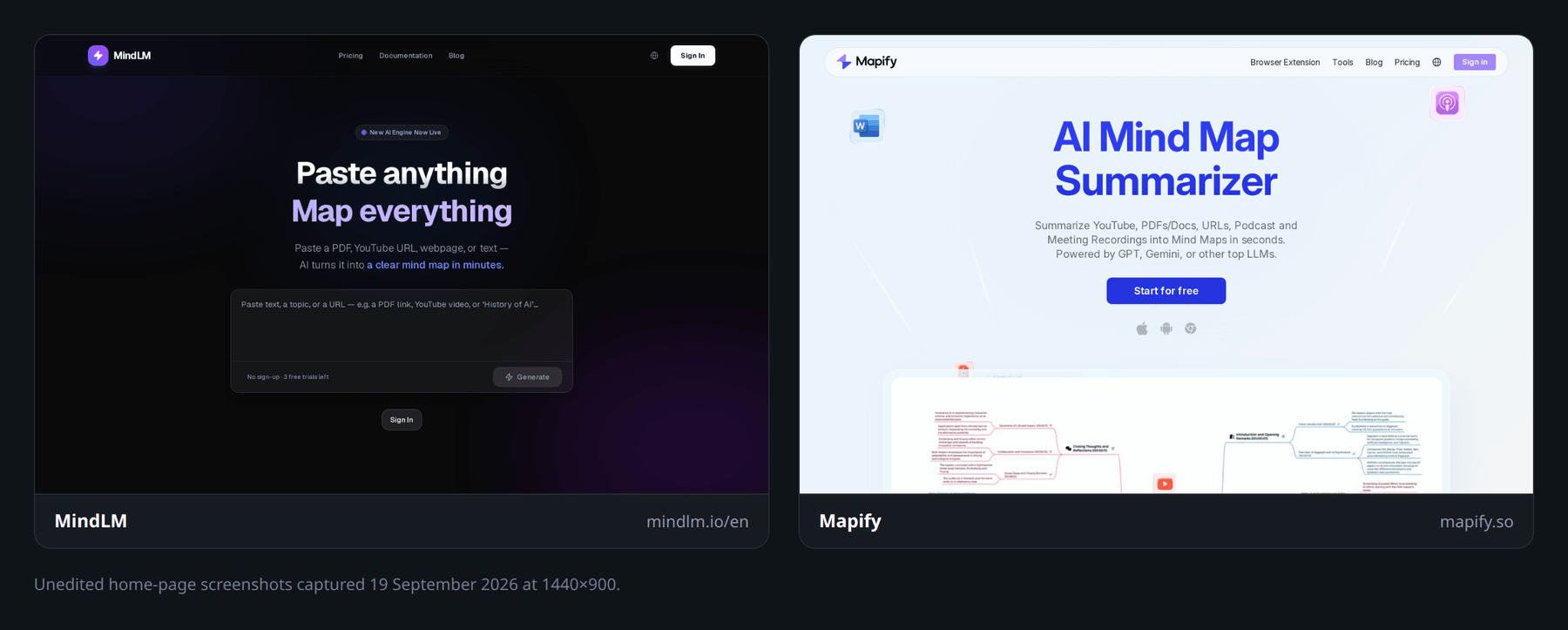 Two AI mind map generators, two product philosophies — focused web vs multi-platform suite.
Inputs & workflows: PDF, YouTube, web, notes
Both tools turn messy source material into a visual outline. The difference is how they treat structure, and which inputs sit behind the free wall.
PDF and long documents
PDF-to-mind-map is the make-or-break job for most researchers and exam prep.
Mapify markets one-click PDF/Doc summarization, chat-with-file exploration, and translation into many languages. That is strong when you want to interrogate a document after the first map — ask follow-ups, expand a thin branch, or rephrase for a presentation.
MindLM leans harder on hierarchy. Its PDF to mind map flow is built around headings, section numbering, and chapter outline — so a textbook chapter or paper methods section tends to come back as the author's structure, not a flat bullet soup. That matters when you will keep editing the tree for weeks.
Neither tool replaces reading the source. AI maps compress; they can skip caveats and flatten disagreement. Keep the PDF open beside the map for citations and numbers.
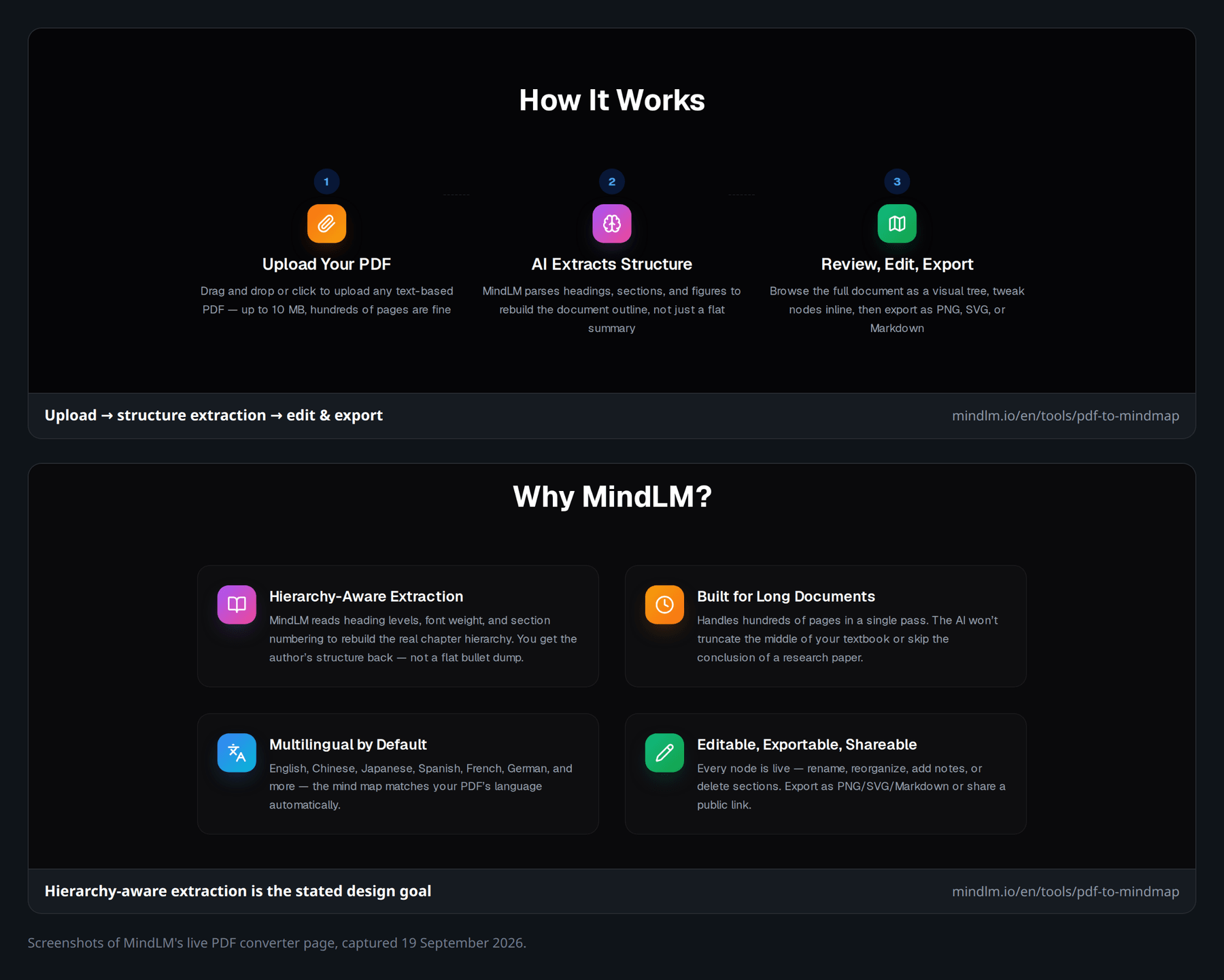 Hierarchy-aware PDF mapping — chapters and sections as editable nodes, not a single summary blob.
YouTube and lectures
For video, Mapify's public strength is timestamps: jump from a node back into the relevant moment, plus transcript access. That is excellent for 90-minute lectures where memory fails by the next day.
MindLM's YouTube to mind map path pulls subtitles, builds topics and arguments, and hands you an editable tree for study or scripting. On MindLM, YouTube (and audio/podcast) sits on Pro and Max, not Free — worth knowing before you assume every URL works on the free plan.
Practical tip: if your workflow is "watch → map → jump back to the clip," Mapify's timestamp story is hard to ignore. If your workflow is "map → export Markdown → revise in Obsidian," MindLM's export path may matter more than the seek bar.
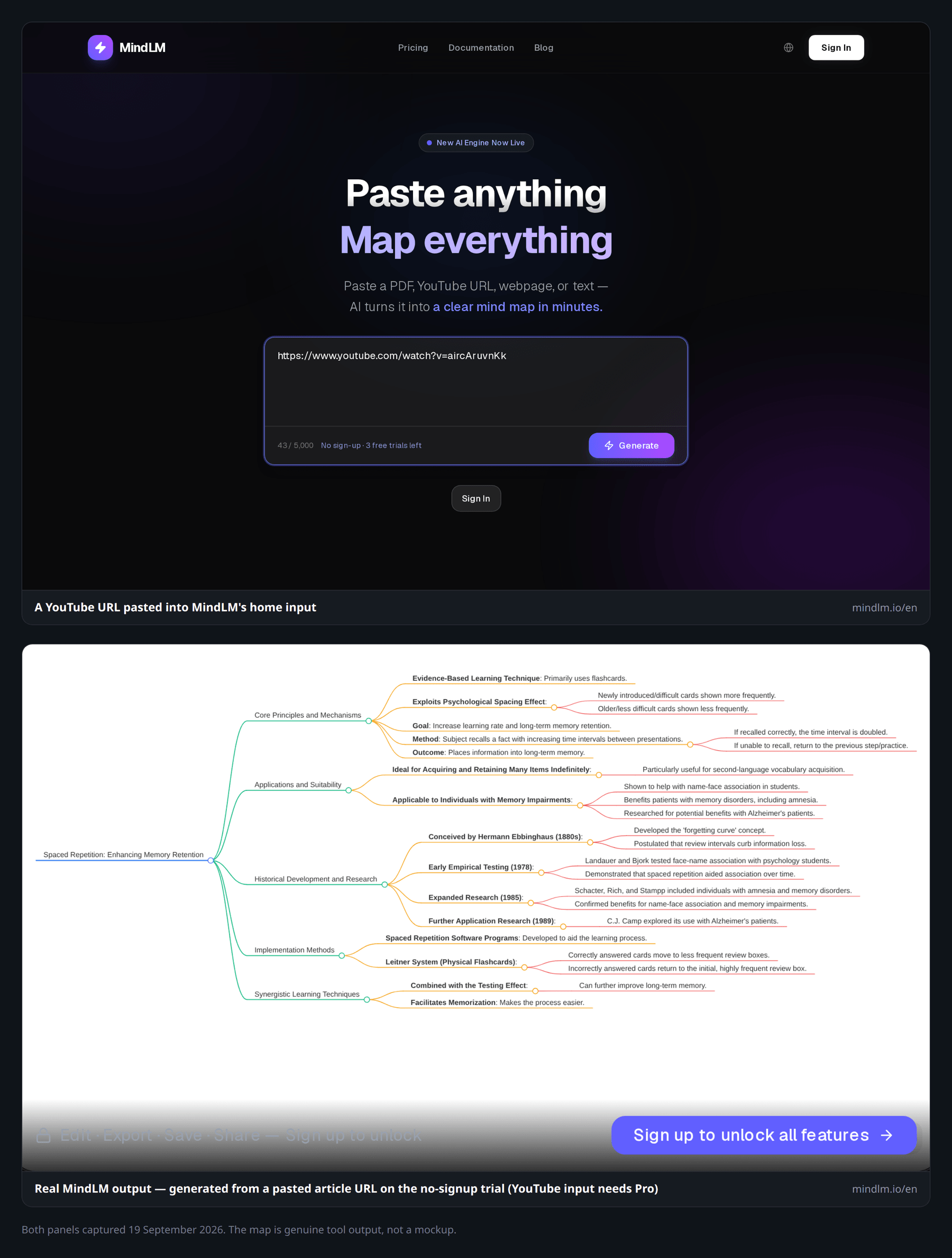 Lecture → mind map in one paste; edit nodes before you export study notes. (Lower panel is genuine MindLM output from a pasted article URL — YouTube input needs Pro.)
Webpages, threads, and notes
Paste a URL or long text into either product and you get a digestible tree. Mapify highlights webpage digests, Ask Anything with web search, and image-to-map. MindLM covers webpage and text on Free, and adds Twitter/X threads plus podcasts on paid plans — handy if your research diet includes threads and long audio.
For plain notes, both accept pasted text. MindLM's Free tier is enough to test text/web/doc loops daily (10 signup credits, 1 more per daily login, up to 3 generations a day). Mapify's Free allotment is one-time credits with small PDF/YouTube caps — fine for a trial, less like a daily habit unless you upgrade.
Editing & exports (including Markdown)
Generation is the demo. Editing and export decide whether the map lives in your real system of notes.
Editing the tree
Mapify offers keyboard-friendly editing, layout tweaks, chat-driven expand/shorten/translate, and presentation mode that turns a map into slides. If you present often, that slide path saves a painful rebuild in PowerPoint.
MindLM focuses on a clean visual editor: rename, reorganize, add or delete nodes, then export. It does not market heavy realtime multiplayer collaboration — if your team needs live co-editing in one canvas, look elsewhere (or treat MindLM as a personal structuring step before you share a file).
Both produce drafts that need human judgment. Expand shallow branches. Delete fluff. Rename vague node titles ("Important points") into something you will recognize next month.
Exports and Markdown
Export is where note people get picky.
- MindLM: PNG and Markdown on Free; SVG on Pro/Max. Markdown export is intentional for Obsidian / Notion pipelines — paste or drop the outline into a vault and keep iterating as headings.
- Mapify: Image, PDF, Markdown (and SVG on Basic+ per pricing), plus share links and slides. Broader "share anywhere" packaging.
If your end state is a polished PDF handout or a slide deck, Mapify's export + presentation combo is attractive. If your end state is a living Markdown outline that stays next to your literature notes, MindLM's bidirectional Markdown story is the quieter win.
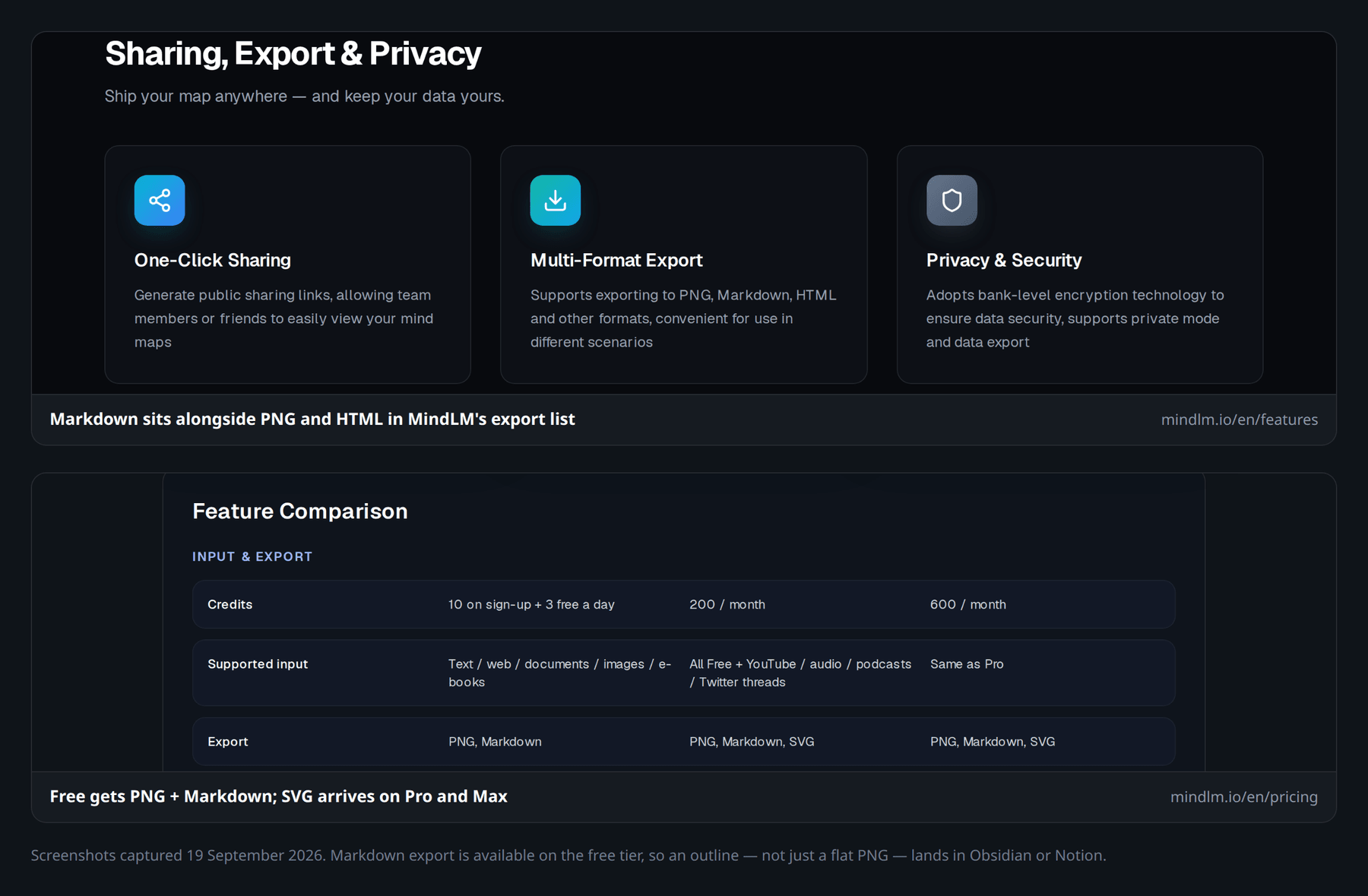 Markdown is a free-tier export on MindLM — the same hierarchy as the map, headings ready for Obsidian or Notion, not a dead PNG.
Pricing & free tiers (honest view)
Pricing is where the MindLM vs Mapify decision often resolves itself. Numbers below are from official pages as of September 2026; both can change.
MindLM (/en/pricing)
| Plan | Price | What you roughly get |
|---|---|---|
| Free | $0 | 10 credits on signup + 3 generations/day; text/web/doc/image/e-book; PNG/Markdown; 1 task at a time |
| Pro | $4.99/mo | 200 credits/mo; YouTube, audio, podcast, Twitter; advanced structure; SVG; priority; 3 parallel |
| Max | $9.99/mo | 600 credits/mo; higher text/page limits; highest priority; 5 parallel |
Honest take: Free is usable for light daily practice, not a research sprint. Pro is priced for students who map a handful of papers and videos each week. Max is for heavier parallel use without babysitting the queue.
Mapify (mapify.so/pricing)
| Plan | Monthly | Annual (listed /mo) | Credits / notes |
|---|---|---|---|
| Free | $0 | — | 30 one-time AI credits; ~5 PDF/doc + ~5 YouTube maps; edit + transcripts |
| Basic | $9.99 | $5.99 | 1000 credits/mo; Instant model; PDF + YouTube; export PDF/Markdown/SVG |
| Pro | $19.99 | $11.99 | 2000 credits/mo; Powerful model; audio/image; Deep Research; timestamps; image gen |
| Unlimited | $29.99 | $17.99 | Unlimited AI credits (card); Pro features + priority-style extras |
| Team | Custom | — | Contact sales |
Credits on Mapify are consumed by generation and chat, scale with model and word count, and do not roll over. That is fair to state: a chatty workflow burns faster than "map once and leave."
Budget framing: MindLM's paid floor ($4.99) undercuts Mapify's Basic ($9.99). Mapify's Basic gives a larger monthly credit pool (1000 vs MindLM Pro's 200), so "cheaper" and "more credits" are not the same question — match the plan to how often you regenerate and chat, not sticker price alone.
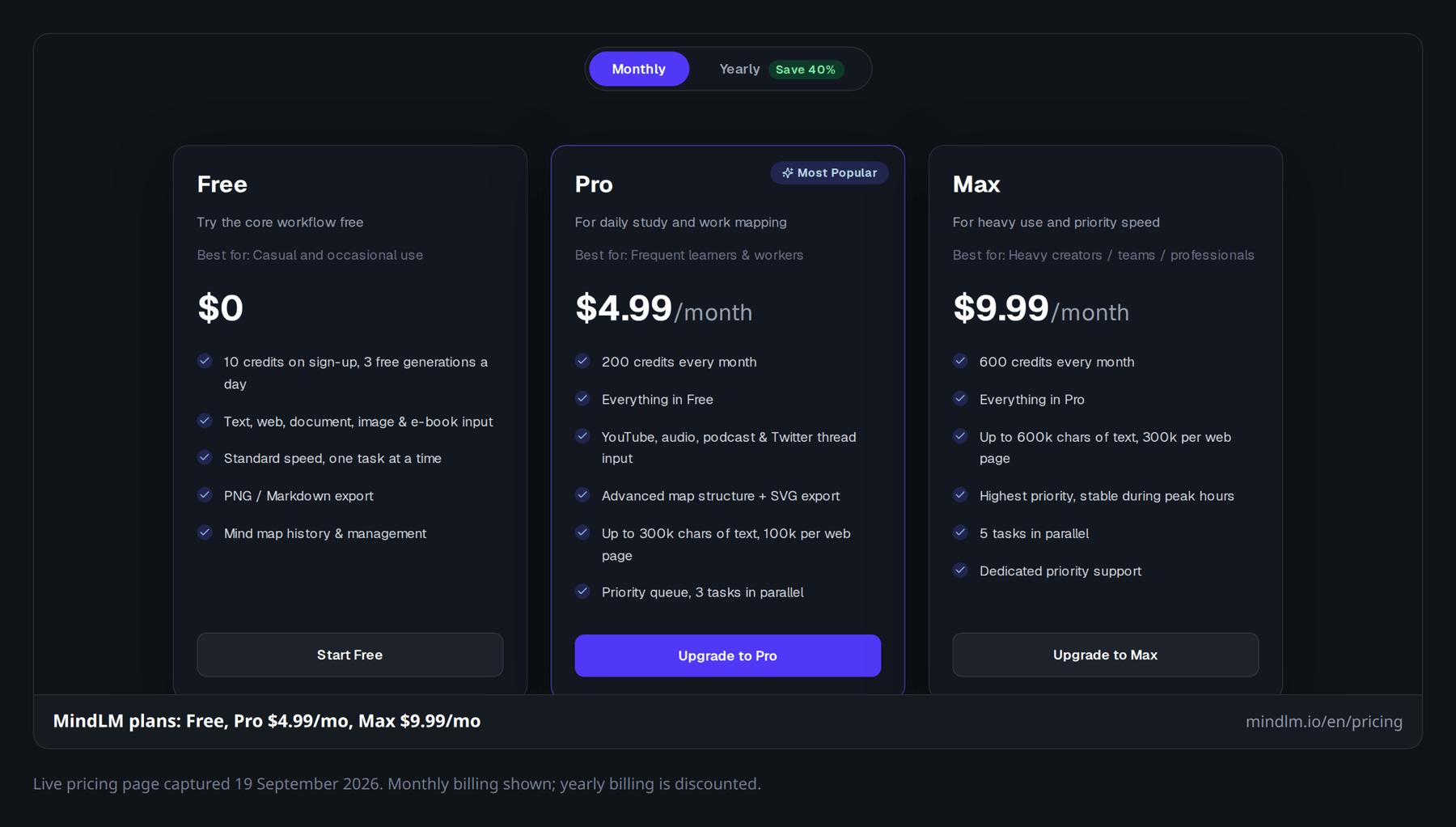 Entry paid tier at $4.99/mo — compare credit needs, not only the headline price.
Platform & ecosystem
Mapify is the broader product surface: web, mobile, browser extension, device sync (FAQ: up to three personal devices), and Xmind lineage. That helps if you map on a phone between classes, then finish on a laptop. Integrations and "Ask Anything" / Deep Research push it toward a full summarization suite, not only mind maps.
MindLM is a focused web experience with clear tool URLs — PDF, YouTube, webpage, podcast, Twitter thread, text — under /en/tools. Less surface area means fewer places to get lost. CN/EN UI helps bilingual teams and Chinese-language source material without hunting for a setting buried in menus.
Choose ecosystem vs focus the same way you choose IDE vs single-purpose CLI: more platforms reduce friction when your day is fragmented; a focused web app is often faster when your job is the same three inputs every day.
Neither product is a full collaborative whiteboard (think Miro). Do not buy either expecting realtime multiplayer workshops as the primary feature.
Who should pick which
Students
- Exam chapters + Markdown notes: MindLM. Hierarchy from PDFs plus export into your vault beats a pretty map you cannot maintain.
- Lecture videos with seek-back: Mapify. Timestamps and transcripts are built for that loop.
- Tight budget: Start MindLM Free, then Pro at $4.99 before jumping to Mapify Basic.
Researchers
- Literature triage (many PDFs, structure first): MindLM's PDF tool is aimed at outline fidelity; the research-paper entry point and the multi-PDF literature-review workflow cover the academic version of that job.
- Broad synthesis, chat, Deep Research, multi-format dumps: Mapify Pro/Unlimited territory.
- Always verify claims against the PDF. A mind map is a map, not a citation manager.
Creators (writers, educators, newsletter folks)
- Scripts from YouTube / threads / articles → outline: Either works; MindLM's thread + Markdown path is tidy for drafting.
- Slides for a class or client: Mapify's presentation mode saves a step.
- Chinese and English sources in one habit: MindLM's CN/EN UI is a practical plus.
Budget-conscious users
Try MindLM Free or Mapify Free first. If you only need a few maps a month, MindLM's daily login credit, which keeps topping up after the 10 signup credits, may last longer than Mapify's one-time 30 credits. If you live in chat-refine-present loops across phone and desktop, Mapify's paid plans buy that lifestyle — just account for credit burn.
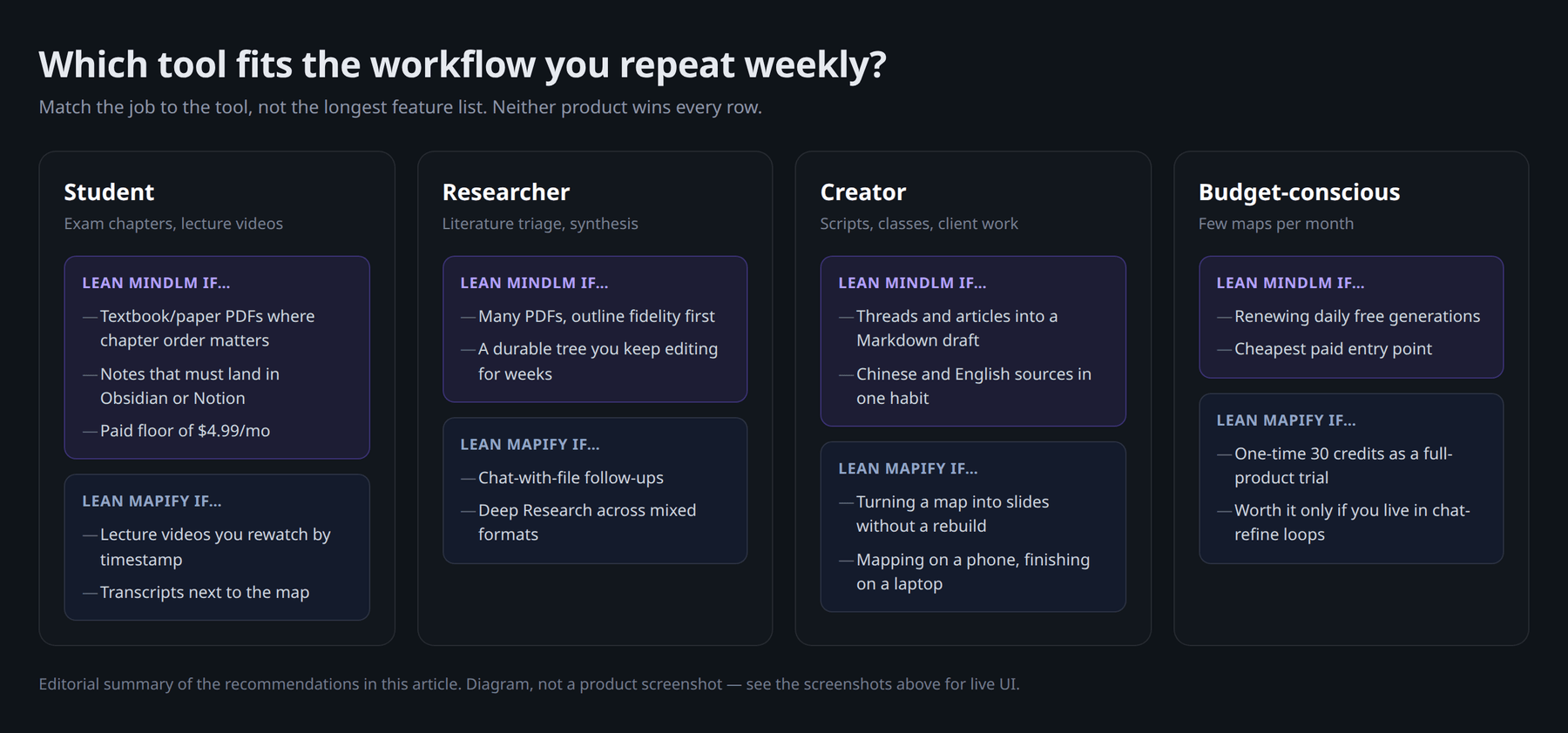 Match the tool to the workflow you repeat weekly, not the longest feature list.
Migration tips from Mapify
Switching does not require drama.
- Export Markdown or images from maps you still care about. MindLM imports the workflow (paste sources again or rebuild from Markdown), not a proprietary Mapify project file — plan on regenerating important maps rather than expecting a perfect one-click import.
- Rebuild critical PDFs in MindLM's PDF to mind map tool so chapter hierarchy is regenerated, not guessed from a PNG.
- Keep Mapify for a week in parallel if you rely on timestamps or slides; migrate the note-taking spine first.
- Compare plans on /en/pricing against your real monthly map count — not marketing credit numbers alone.
More options and context: alternatives to Mapify.
FAQ
Is MindLM a good Mapify alternative?
Yes, if your priority is PDF structure, Markdown/Obsidian-friendly export, CN/EN UI, and lower paid pricing. If you need Mapify's app/extension ecosystem, timestamps, or Deep Research, stay on Mapify or use both for different jobs.
Which is better for PDF to mind map?
For chapter/heading fidelity and long-document outlines, MindLM is built around that problem. For chat-with-PDF and multi-language summarization inside a larger suite, Mapify is strong. "Better" depends on whether you want a durable outline or a conversational summary workspace.
Which is better for YouTube to mind map?
Mapify wins on timestamp navigation and transcript-centric study. MindLM is solid for structured outlines and note export once you are on Pro/Max (YouTube is not on Free).
How does free tier usage compare?
MindLM: 10 signup credits plus 1 per daily login — better for light ongoing use. Mapify: one-time credits and capped PDF/YouTube counts — better as a short trial of the full product feel.
Do either support Markdown export?
Both list Markdown export. MindLM emphasizes Markdown for Obsidian/Notion-style workflows; Mapify includes Markdown among PDF/image/SVG and share options.
Will prices stay the same?
No guarantee. Figures in this article were checked on official MindLM and Mapify pricing pages in September 2026. Confirm live numbers before you subscribe.
Try MindLM on your next PDF or video
If Mapify feels heavy for how you actually work — or you want hierarchy-aware PDFs and Markdown without jumping to a $10–20/mo entry plan — try MindLM on a real file this week.
- Explore converters: /en/tools
- Start with PDF to mind map or YouTube to mind map
- Compare plans: /en/pricing
Generate one map, export Markdown, drop it into your notes. That single loop usually answers the MindLM vs Mapify question faster than another feature matrix.