Best AI Mind Map Generators in 2026 (Compared)
Compare the best AI mind map generators in 2026 for PDF, YouTube, web, and notes. Scenario-based picks, honest trade-offs, and who each tool really fits.
Best AI Mind Map Generators in 2026 (Compared)
Shopping for the best AI mind map generators usually means one job: turn a PDF, lecture video, webpage, or messy notes into an editable hierarchy — not another chat paragraph you'll forget by Thursday.
This guide compares seven tools that actually do AI-from-source conversion. Picks are scenario-based. There is no universal #1. Match the tool to what you feed it every week, how you edit, and where the map has to land (Obsidian vault, slides, team board, or a quick PNG). A chat summarizer that returns five bullet points is not the same product as an editable hierarchy you can prune, rename, and export.
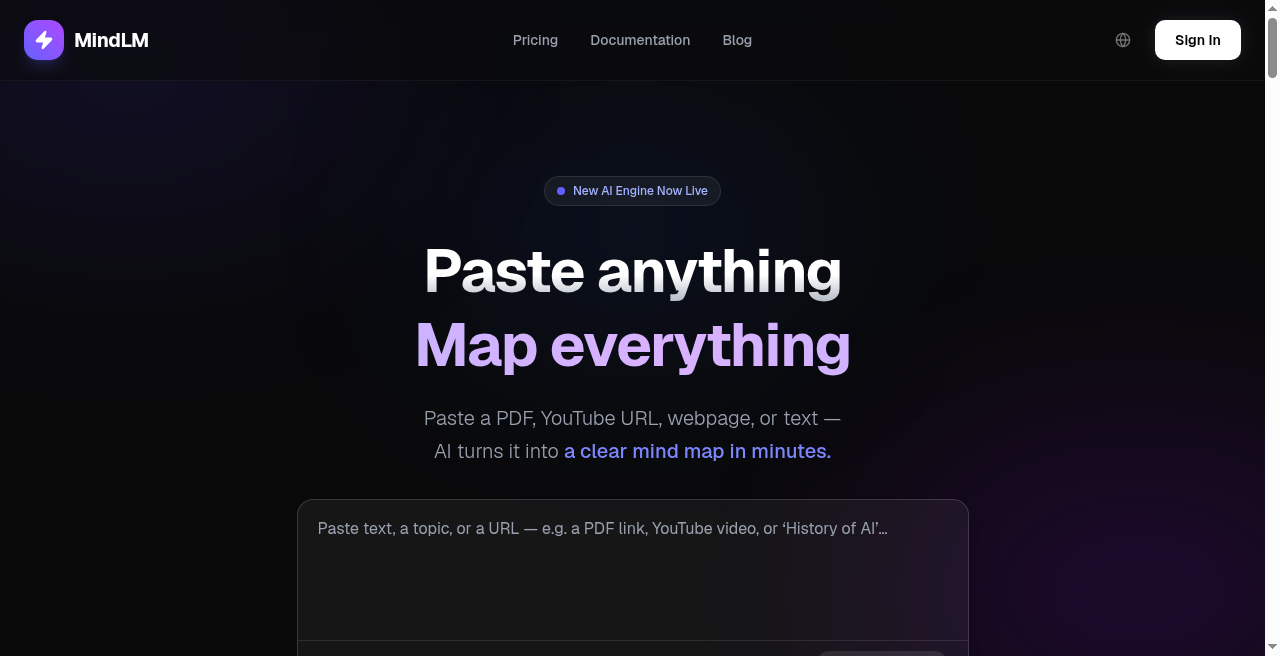
From long sources to an editable tree — the job AI mind map generators should actually do. (MindLM home page, captured 19 September 2026.)
How we chose (and a disclosure)
We only included tools that can generate a mind map from at least two of: PDF/documents, YouTube (or video/subtitles), webpage/URL, or long text/notes. Bonus signals: audio, images, Markdown export, and a usable free tier.
We excluded generic whiteboards and brainstorm canvases whose main trick is blank-canvas drawing (Whimsical, Miro, and similar). Those are fine for manual ideation. They are not what people mean when they search "PDF to mind map" or "YouTube to mind map."
Disclosure: MindLM is our product. We still judge it by the same criteria — and we name where competitors win. Prices and limits change; re-check official pricing pages before you subscribe.
Quick comparison
| Tool | Best for | Core AI inputs | Standout | Export highlights | Free tier? | Paid entry | Best-fit user |
|---|---|---|---|---|---|---|---|
| MindLM | PDF chapter hierarchy + Markdown notes on a budget | Text, web, docs/PDF, image, e-book (Free); YouTube, audio, podcast, Twitter/X (Pro+) | Hierarchy-aware PDF → editable tree | PNG, Markdown (Free+); SVG (Pro/Max) | Yes — 10 signup credits + 1/day login | Pro $4.99/mo; Max $9.99/mo | Student / researcher |
| Mapify | Multi-format PDF/YouTube/web suite | PDF/docs, YouTube, web, text, audio, images | YouTube timestamps + multi-platform apps | Image, PDF, Markdown, SVG (plan-dependent); slides | Yes — limited one-time credits | Basic ~$9.99/mo (verify on official pricing) | Creator / student |
| MindMap AI | Same-map AI copilot + broad file inputs | Prompt, PDF, audio/video, webpage, YouTube (extension) | Chat that keeps editing one canvas | PDF, PNG, SVG, CSV, Markdown | Yes — 50 AI credits/mo + unlimited manual | Basic $9.99/mo (or $4.99/mo annual) | High-volume shopper |
| GitMind | Budget file→map + flowcharts | Text, PDF, video/YouTube, audio, web, images | Maps + flowcharts/whiteboard in one app | Regular/HD exports (plan-dependent) | Yes — limited map count | See official pricing (verify AI tiers) | Student / generalist |
| AmyMind | Lightweight try-it-now converts | PDF, Word, Markdown, text, YouTube captions | Low friction; cheap Pro year | PNG, PDF, DOC, PPT, MD, TXT | Yes — 5 AI actions/day | Pro $45/year | Casual converter |
| EdrawMind | Mature diagram editor + AI file→map | PDF/Office, YouTube, text, images (+ audio/video on AI pages) | Templates & business diagrams | 10+ formats (product claim) | Trial / free tokens | See EdrawSoft pricing (verify) | Business / heavy editor |
| Taskade | PDF→map inside a full workspace | PDF (converter); files/agents in workspace | Mind map as one view among tasks | Markdown, PDF, HTML, JSON | Yes — one-time AI credits | Pro $10/mo (annual framing) | Team / workspace user |
Competitor prices marked verify should be confirmed on the live pricing page before you cite them. MindLM figures reflect official /en/pricing as of September 2026.
Scenario guide: start here
- Long academic / textbook PDFs → MindLM for chapter hierarchy, or EdrawMind if you already live in a full diagram suite. For papers specifically, see research paper to mind map and literature review AI mind maps.
- YouTube lectures with seek-back → Mapify (timestamps are the public story) or MindMap AI (timestamped transcripts on paid). MindLM maps YouTube on Pro+, but we do not claim timestamp parity with Mapify.
- Markdown → Obsidian / Notion → MindLM (PNG + Markdown on Free).
- Team workspace + maps as one view → Taskade.
- Cheap generalist who also wants flowcharts → GitMind.
- Casual one-off converts → AmyMind.
Still comparing Mapify-class tools? Pair this page with MindLM vs Mapify and alternatives to Mapify.
MindLM — Best for PDF hierarchy and Markdown notes
Verdict: Strong when your weekly diet is PDFs, articles, and notes that must become a tree you keep editing — especially if you want Markdown out and a paid floor under $5/mo.
MindLM is a focused web product (EN-primary, CN/EN UI). On Free you map text, web, documents, images, and e-books. YouTube, audio, podcasts, and Twitter/X threads need Pro or Max. That split matters: don't assume every URL works on Free.
The PDF path is built around headings and chapter structure, not a flat keyword bag. That is why researchers and exam prep users stick with it — the outline looks like the author's outline. Export reality: PNG + Markdown on Free and up; SVG on Pro/Max. It is not a realtime collab whiteboard, and we are fine saying so. If your weekly ritual is map → paste into Obsidian → revise for a paper or exam sheet, that loop is the product.
Skip MindLM if you need mobile-first apps with YouTube seek-from-node as the hero feature, or if your team's whole OS is an all-in-one workspace.
Try one real PDF on Free, then open pricing only if you need video/audio or SVG. Tool hub: /en/tools — including PDF to mind map and YouTube to mind map.
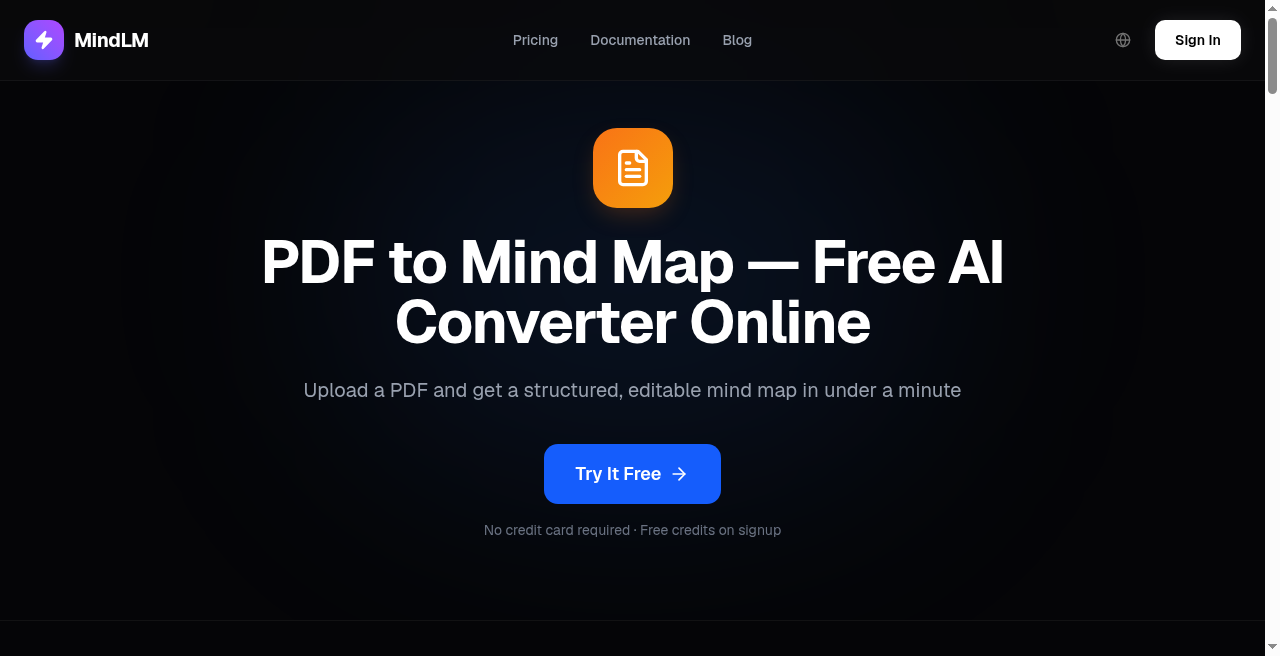
Hierarchy-aware PDF mapping — upload, structure extraction, then editable chapter nodes. (MindLM's live PDF converter page, captured 19 September 2026.)
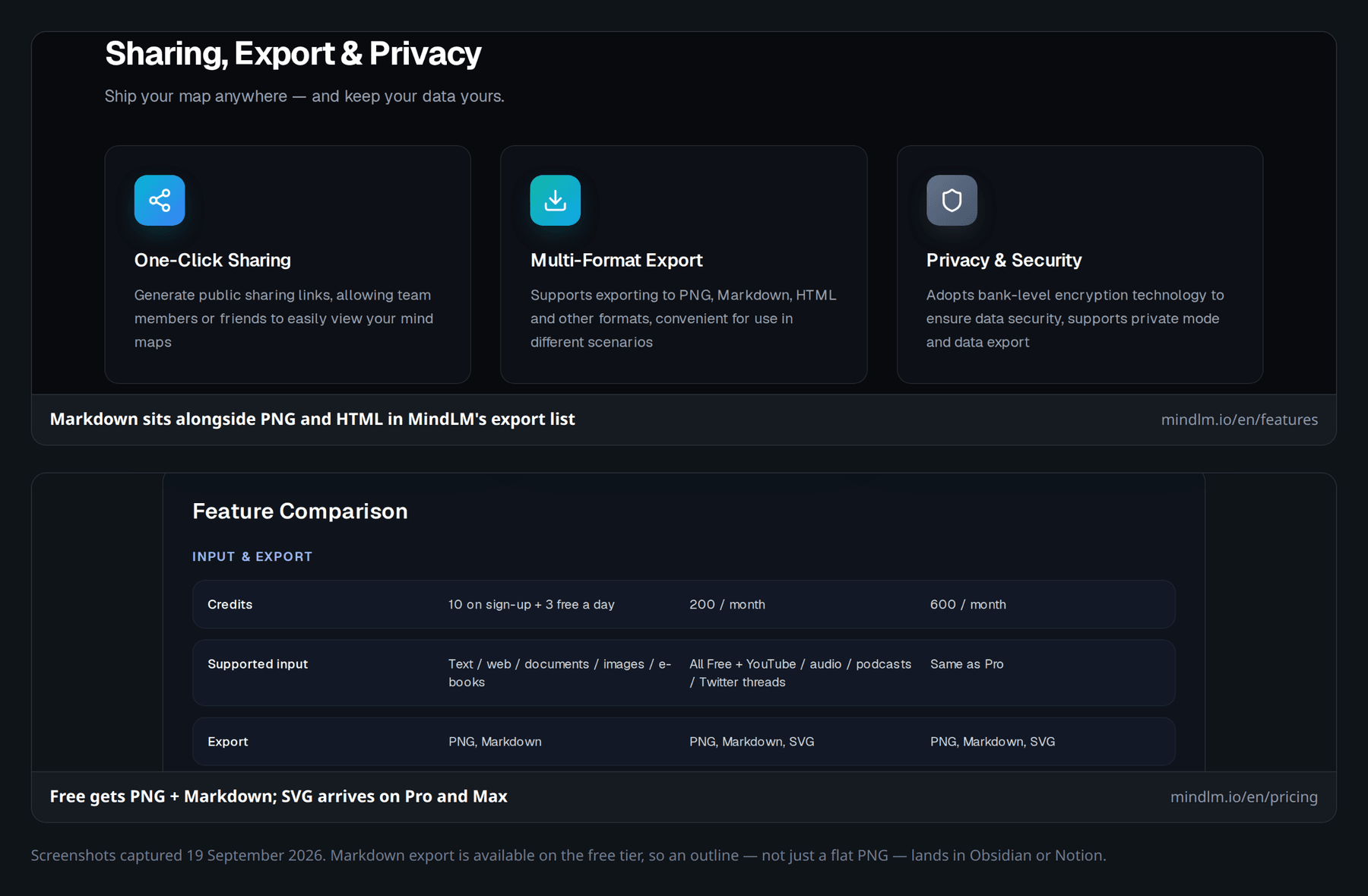
Map for thinking, Markdown for your vault — Free gets PNG + Markdown, SVG arrives on Pro and Max. (MindLM features and pricing pages, captured 19 September 2026.)
Mapify — Best multi-format suite for PDF, YouTube & web
Verdict: Best fit when you want a polished multi-platform suite (web, apps, extension) across PDFs, YouTube, webpages, and more — and timestamps on video matter more than the cheapest paid tier.
Mapify (Xmind family) markets one-click maps from documents, YouTube, URLs, recordings, and images, plus chat-style refinement and slide/presentation modes on higher plans. The YouTube story — transcript access and jump-from-node timestamps — is why lecture-heavy students shortlist it first.
Exports publicly include image, PDF, and Markdown; paid cards list SVG. Free is a limited trial-style allotment (one-time credits plus small PDF/YouTube caps — confirm live). Paid entry has historically sat around Basic $9.99 / Pro $19.99 / Unlimited $29.99 monthly, with annual discounts — re-verify at mapify.so/pricing before you cite a number in checkout. Prices and limits change; treat any dollar figure in a roundup as a snapshot, not a contract.
Skip Mapify if you mainly need Markdown-first note pipelines at the lowest paid entry, or you already decided against a broader suite.
Deep contrast: MindLM vs Mapify. Wider shopping list: alternatives to Mapify.
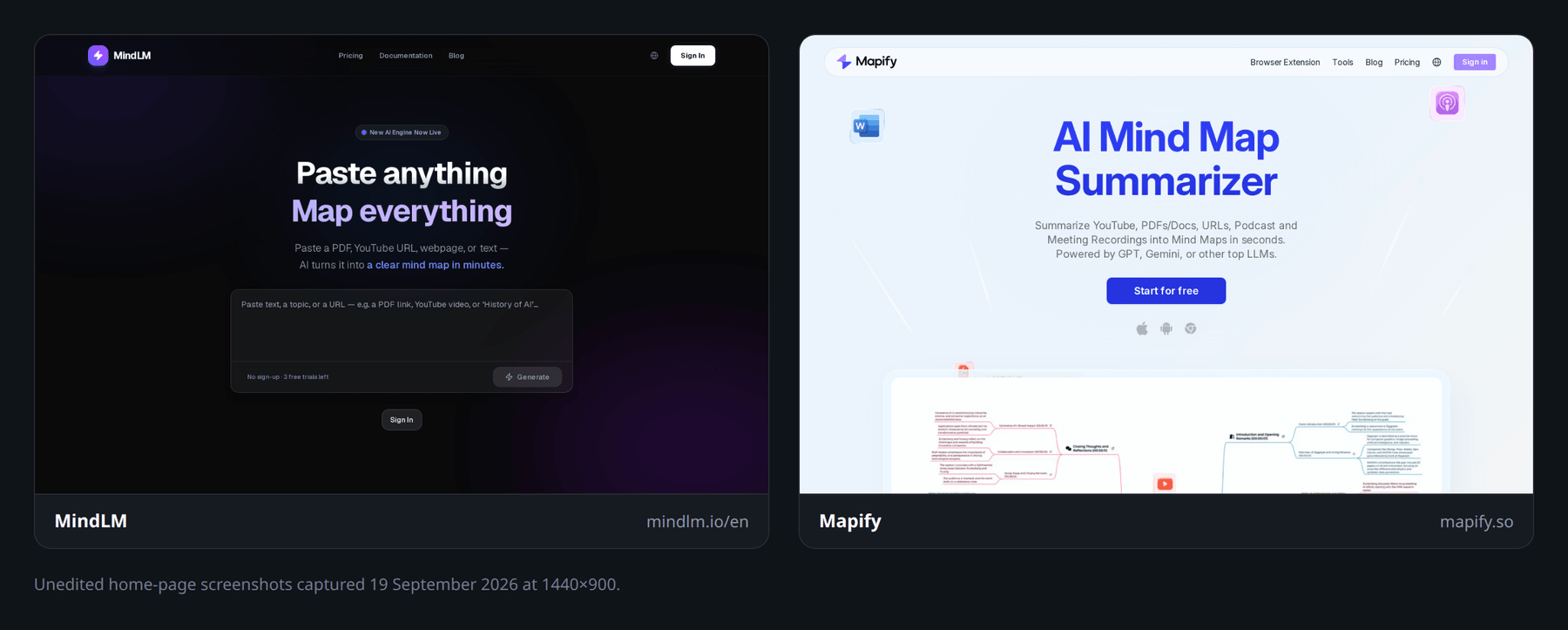
Official marketing UI, side by side: Mapify pitches an "AI Mind Map Summarizer" across YouTube, PDFs, URLs, podcasts and meeting recordings. Unedited home-page screenshots captured 19 September 2026 — not a feature-by-feature product test.
MindMap AI — Best same-map AI copilot all-rounder
Verdict: Safe high-volume pick if you want unlimited manual mapping forever, a monthly AI credit pool on Free, and a copilot that keeps reshaping the same canvas from PDFs, audio, video, and web captures.
MindMap AI positions "pay only for AI." Free includes unlimited hand-built maps plus 50 AI credits/month. Basic is $9.99/mo (about $4.99/mo billed annually) with 2,000 credits and file caps such as PDFs to 30 MB and video to 70 MB; Pro raises those limits. YouTube summarization is called out via browser extension on paid. Exports include PDF, PNG, SVG, CSV, and Markdown (some advanced formats sit on paid).
Skip MindMap AI if you want the absolute cheapest specialist for Markdown vaults only, or you dislike credit math for every expansion chat.
No screenshot: we publish only product UI we captured ourselves or official marketing assets, and we hold no such capture for MindMap AI or GitMind. See the live interfaces at mindmapai.app and gitmind.com.
GitMind — Best budget file-to-map generalist
Verdict: Steady generalist when you want PDFs, YouTube/video, audio, webpages, and images into maps and you also draw flowcharts or whiteboard sketches in the same app.
GitMind markets an AI workspace that turns those sources into summaries and structured maps. Free access exists with limits (pricing page lists caps such as ~10 maps). Paid plans add unlimited maps/whiteboards and HD-style exports; exact AI credit prices vary by plan packaging — check gitmind.com/pricing live rather than trusting a third-party table.
In practice, GitMind fits students and freelancers who bounce between a lecture PDF one hour and a simple process flowchart the next. You are not buying a research-only PDF specialist; you are buying a visual notebook that happens to ingest files. That breadth is useful. It also means the product UI can feel busier than a single-purpose converter.
Skip GitMind if you need a research-grade PDF hierarchy specialist or a pure Obsidian Markdown loop with documented Free SVG/Markdown rules.
AmyMind — Best lightweight free daily converter
Verdict: Best "open the tab, paste, done" option for occasional PDF/Word/Markdown/YouTube-caption maps without learning a heavy suite.
AmyMind keeps the surface area small: convert, edit with outline mode and AI branch helpers, export to PNG/PDF/DOC/PPT/MD/TXT, optional pitch mode for slides. Free: 5 AI actions/day, 20 maps, 50 MB. Pro: $45/year, higher AI caps, unlimited files, watermark removal.
That annual Pro price is the point. If you only convert a handful of lectures or chapter PDFs per week, AmyMind's Free daily AI actions may be enough. When you outgrow Free, you are not forced into a nine-dollar monthly stack before you know the maps are good.
Skip AmyMind if you need deep research chat, multi-device sync as a product pillar, or team admin controls.
EdrawMind — Best mature editor beyond mind maps
Verdict: Choose this when AI PDF/YouTube→map is a feature inside a mature Wondershare diagram product — templates, business layouts, desktop + online — not a minimalist converter.
EdrawMind publishes free-ish converters for PDF and YouTube summarization into maps, plus Office formats and long text. AI consumes tokens; new accounts get a free allotment (official pages have cited different numbers — verify). Individual software plans and separate token packs live on EdrawSoft pricing pages; quote dollars only after you open the live SKU list.
If your job already includes org charts, timelines, and presentation-ready templates, staying inside EdrawMind after the AI draft can save a hop to another tool. If you only want source→tree→Markdown, the suite will feel heavy.
Skip EdrawMind if you want a lightweight web-only AI mapper with transparent Free Markdown exports and no desktop installer baggage.
No screenshot: EdrawMind's and Taskade's interfaces are not reproduced here for the same reason — we did not capture them, and we won't mock up competitor pixels. Official pages: edrawmind.wondershare.com and taskade.com/convert/pdf/pdf-to-mind-map.
Taskade — Best workspace hybrid for PDF-to-map
Verdict: Best when the mind map is one view among lists, boards, agents, and team projects — not when you want a specialist mind-map canvas alone.
Taskade's PDF to mind map converter is explicit: upload a PDF, get an editable map, switch to List/Board/Table/Gantt without rebuilding. That multi-view trick is the real pitch: the map is a project view, not a dead image. Free includes a one-time AI credit grant; Pro starts around $10/mo on the annual framing shown publicly (confirm monthly list price on taskade.com/pricing). Exports called out for maps include Markdown, PDF, HTML, and JSON.
Skip Taskade if you only need solitary PDF/YouTube→map with no interest in agents, apps, or multiplayer workspaces — you'll pay for a platform you won't use.
Not in this list (on purpose)
Whimsical and similar whiteboards excel at manual brainstorming. They are not primarily AI-from-PDF/YouTube pipelines, so they stay off the main seven. Xmind remains a classic polished mind-map editor; Mapify covers much of the AI-from-source story in that family. MyMap AI and other mixed-signal tools stay out until document/video intake is clearly documented on official pages.
How to choose (three questions)
- What do you feed it weekly? Textbook PDFs and papers favor hierarchy specialists (MindLM, EdrawMind). Lecture YouTube with seek-back favors Mapify / MindMap AI. Mixed team files favor Taskade or GitMind. Creators who clip web articles and threads should check Free vs paid input walls carefully — MindLM puts Twitter/X on Pro+, for example.
- Solo or team? Solo note vaults → MindLM or AmyMind. Shared projects → Taskade or EdrawMind collab features. "I might share a link sometimes" is not the same as daily multiplayer editing.
- Where must the map land? Markdown vault → MindLM. Slides/share links → Mapify, AmyMind, MindMap AI. Multi-view workspace → Taskade. PNG-only sharing is table stakes; the export that matches your second brain is what matters.
If two tools still tie, run the same PDF through both Free tiers and compare whether the tree matches the document's headings — that one test beats any marketing grid. Then map one YouTube lecture if video is part of your week. Whichever tool you keep should survive both tests without you rewriting half the nodes by hand.
MindLM pricing snapshot (as of Sep 2026)
| Plan | Price | Credits | Inputs & exports (high level) |
|---|---|---|---|
| Free | $0 | 10 on signup + 3 gens/day | Text, web, document, image, e-book · PNG + Markdown |
| Pro | $4.99/mo | 200/mo | + YouTube, audio, podcast, Twitter/X · SVG · priority · 3 parallel |
| Max | $9.99/mo | 600/mo | Higher limits · 5 parallel · priority support |
Full detail: /en/pricing. Free does not include YouTube/audio/podcast/Twitter or SVG.
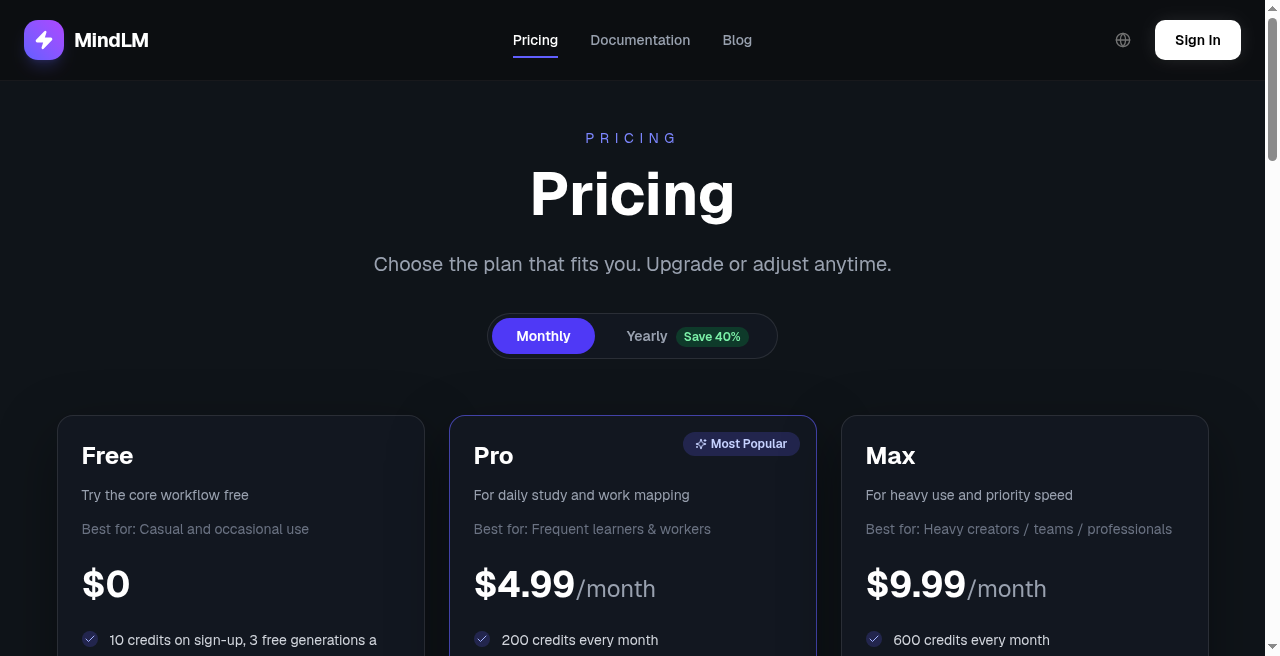
MindLM plans at a glance — Free for docs/web/text; Pro+ for video/audio and SVG. (Live pricing page, monthly billing, captured 19 September 2026.)
FAQ
What is the best AI mind map generator in 2026?
There isn't one for everyone. Pick by scenario: PDF hierarchy and Markdown (MindLM), multi-format video timestamps (Mapify), same-map AI copilot (MindMap AI), budget generalist (GitMind), lightweight converts (AmyMind), diagram power (EdrawMind), or workspace hybrid (Taskade). See the scenario guide above.
Which tools turn a PDF or YouTube video into a mind map?
All seven here advertise PDF and/or YouTube (or caption/video) intake at some plan level. Whiteboards that only draw blank nodes usually don't. For MindLM specifically: PDF/docs on Free; YouTube on Pro+.
Is MindLM free?
Yes — Free includes 10 signup credits plus 1 per daily login (up to 3 maps a day) for text, web, documents, images, and e-books, with PNG and Markdown export. YouTube, audio, podcasts, Twitter/X threads, and SVG require Pro or Max. Details: /en/pricing.
Mapify vs MindLM — which should I pick?
Short version: Mapify if you want the broader suite and YouTube timestamp workflow; MindLM if you want chapter-aware PDFs, Markdown for Obsidian/Notion, and a lower paid entry. Full write-up: MindLM vs Mapify.
Do I still need to read the source?
Yes. Maps compress structure. They can miss caveats, numbers, and disagreement between sections. Keep the PDF or video open when you cite anything.
Try one real source this week
Pick a PDF or article you already need to understand. Run it through a Free tier — MindLM covers document/web/text mapping without upgrading — and judge the tree, not the homepage. Upgrade only if you need YouTube/audio or SVG.
- Start on MindLM · Pricing
- Still torn on Mapify? Read MindLM vs Mapify
More converters and guides live under /en/tools, including PDF to mind map and YouTube to mind map.